Study Table Lamp in India: How to Choose the Right One for Studying or Work
Shopping for a desk lamp? Start with the things that affect your setup: can you aim the light at the page, lower its brightness, and fit the base or clamp on your table? If power cuts are common where you live, battery backup may matter too. This guide walks through the listing specs and the trade-offs for a school desk, hostel table or work-from-home setup. We have not tested individual lamps, so there is no product winner here.
What to look for: the 6 specs that matter
Brightness and wattage
Watts tell you how much power a lamp uses, not how bright it is. Brightness is measured in lumens. ENERGY STAR puts it simply: “Brightness is a description of light output, which is measured in lumens (not watts)”. Two LED lamps with the same wattage can give quite different amounts of light.
What to check:
- Lumens, if the listing gives them. Compare lumens between lamps, not watts. Many budget listings show only watts. If so, read the reviews and Q&A for comments on brightness.
- Dimming. Step dimming (usually three to five levels) or a smooth touch dimmer lets you turn it down at night or in a shared room. This matters more than the maximum brightness.
- Lower watts for the same lumens means lower power use. Actual battery life also depends on battery size, electronics and brightness setting.
Colour temperature: warm, neutral or cool white
Lamp listings describe the colour of the light with a number in Kelvin (K). Lower numbers look yellow and warm, like an old bulb. Higher numbers look white or slightly blue, like daylight. Many listings simply say “warm”, “natural” or “cool white”, or “3 colour modes”.
Colour preference is personal. If you are unsure, a lamp with selectable colour modes gives you options; it is a convenience, not a requirement.
Flicker and glare: what “eye-care” on a listing means
Many lamps are sold as “eye-care”, “eye protection” or “flicker-free”. These are sellers’ labels, not a medical promise. Good, even lighting can make reading more comfortable, but no lamp prevents or cures eye problems. If you or your child have headaches, blurry vision or sore eyes while studying, see an eye doctor.
What to check:
- A diffuser over the LEDs. A frosted cover spreads the light so you don’t see a row of bright dots.
- “Flicker-free” claims. Phone-camera banding is not a reliable test for whether a lamp flickers in a way that affects a person; cameras and screens can create artefacts. Treat “flicker-free” as a claim to verify with credible product documentation, not a medical guarantee.
- A shade or head that hides the bulb from your eyes when you sit at the table.
Arm, neck and head: fixed, gooseneck, swing arm or clamp
- Fixed or folding. Simple, cheap and stable. You can tilt the head but not move it far.
- Gooseneck. A bendy neck you can point almost anywhere. Good for small tables, but cheap goosenecks can droop over time.
- Swing arm. A jointed arm that reaches across a larger desk. Usually clamps to the table edge or has a heavy base.
- Clamp. Fixes to the table edge and takes up no surface space. Check the clamp opening against your table’s thickness before you buy.
Rechargeable or plug-in
A rechargeable lamp can be useful during a power cut, while a plug-in model avoids battery-runtime limits. Compare the actual brightness and operating details listed for each model.
What to check:
- Battery hours. Listings usually quote the best case, on the lowest brightness setting. Expect fewer hours at full brightness. Read the reviews for real-use figures.
- Battery capacity (mAh), if listed. Capacity alone does not tell you the run time; battery voltage, lamp power and brightness setting matter too.
- Can it run while charging? Some lamps can, some can’t. Check the listing or Q&A.
- Charging port. USB-C is handier than a round pin or old micro-USB, as you can share a phone charger.
Base, size and USB power
- A heavy, wide base stops the lamp from tipping when you adjust the head. This matters on a narrow study table.
- Size. Measure your table. A lamp with a large base can take up space you need for books.
- A USB port on the base can charge a phone, but it adds another cable. Plan where it runs and tidy the lamp’s cable along the back of the desk.
Where to put a desk lamp
Placement makes as much difference as the lamp itself.
- Opposite your writing hand. If you write with your right hand, put the lamp on the left, so your hand doesn’t cast a shadow on the page. Left-handers put it on the right.
- Head below eye level. Angle the head so the light falls on the book, and you can’t see the bulb from where you sit.
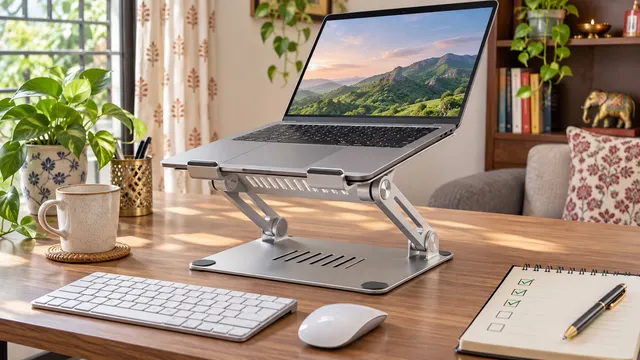
- Light on the page, not the screen. On a laptop desk, point the lamp at your notes or keyboard, not at the screen, to avoid glare and reflections. If your screen sits low and you hunch to read it, raise your laptop screen first, then set the lamp.
- Keep the room light on too. A bright pool of light on the desk in a dark room makes your eyes adjust every time you look up. A ceiling light or tube light on low keeps the contrast gentler.
Which type suits you?
| Who | Lamp type | Must-have | Nice to have |
|---|---|---|---|
| School student | Folding or gooseneck lamp with a stable base | Dimming and a diffuser | Battery backup for power cuts |
| College student or hostel desk | Rechargeable lamp, or a clamp lamp on a tiny table | Battery backup and step dimming | USB-C charging, 3 colour modes |
| Work-from-home laptop user | Swing-arm or clamp lamp | Head you can aim away from the screen | Monitor light bar for an external monitor |
| Very small desk | Clamp or slim gooseneck lamp | Clamp that fits your table thickness | USB port on the base |
| Shared room at night | Lamp with a low dimming step and a shade | Low lowest setting, warm option | Touch control (quiet, no click) |
For students, the lamp is only half the job. A study routine that lasts is the other half: a fixed spot with good light makes it easier to sit down at the same time each day.
Do you need a monitor light bar instead?
A monitor light bar clips onto the top of an external monitor and shines down onto the desk in front of it, not onto the screen. It takes up no desk space, which suits a tiny desk with a big monitor. It is less useful for a laptop on its own, as many bars are designed to sit on a monitor’s top edge. Check the listing for the screen thicknesses it fits, and whether it works on a curved monitor.
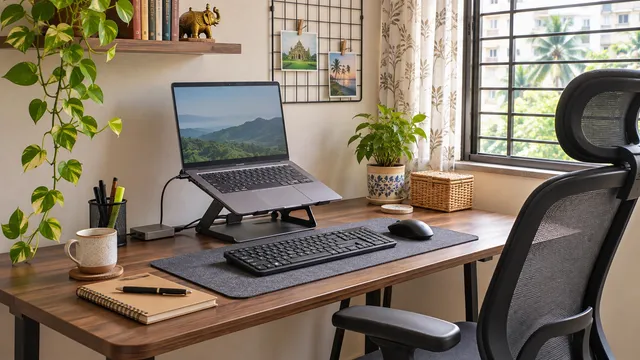
If you are building a home office step by step, light comes after the chair, the screen height, the keyboard and mouse, and the cables. Our work-from-home desk setup checklist explains the order.
How to check an Amazon.in listing before you buy
- Read the specs table, not just the title. Look for wattage, lumens, colour modes, battery capacity and battery hours. If the title says “eye-care” but the specs list nothing, be careful.
- Read the battery claim with the brightness setting. “Up to 10 hours” usually means on the lowest setting.
- Check the warranty and who honours it. Is it the brand or the seller? Is there a service centre near you?
- Check the return window and whether the lamp is “replacement only”.
- Check who sells and fulfils it. Read the seller details and recent buyer feedback, while remembering that ratings are not a guarantee of quality.
- Read the Q&A and the most recent reviews. Look for comments on flicker, the base wobbling, the gooseneck drooping and real battery life.
- Compare the day’s price. Prices on Amazon change often, so check on the day you buy.
Frequently asked questions
Which light is best for studying: warm or white?
There is no single colour setting that suits everyone. If you are unsure, selectable modes let you try different settings and choose what feels comfortable.
How many watts should a study lamp be?
Watts measure power use, not brightness. Compare lumens where the listing gives them, and choose a lamp with dimming so you can set the brightness you need. If a listing shows only watts, read the reviews for comments on how bright it is.
Is a rechargeable study lamp worth it?
It can be useful if your area has power cuts or you study in different rooms. Check the quoted runtime at each brightness level and whether the lamp works while charging.
Is it okay to study with only a table lamp on?
Try the lamp with the room lighting you normally use and adjust for comfort. If studying brings on persistent headaches, sore eyes or blurred vision, speak with an eye-care professional.
Clamp lamp or base lamp for a small table?
A clamp lamp frees up the whole table surface, but check that the clamp fits your table’s thickness. A base lamp is easier to move between rooms. On a very narrow table, a clamp or a slim gooseneck usually works best.
Where to go next
More in Gadgets
- Gadgets
Best Laptop Stand in India: What to Check Before You Buy
Choosing a laptop stand in India: fixed, foldable or adjustable, size and weight limits, airflow, and how to check an Amazon.in listing before you order.
- Gadgets
Best Silent Wireless Mouse in India: Is a Quiet-Click Mouse Worth It?
Quiet-click wireless mice explained for India: what 'silent' really means, who benefits, what the Logitech M221 claims, and how to check an Amazon.in listing.
- Gadgets
Work From Home Desk Setup in India: A Budget Checklist
Build a comfortable work-from-home desk in India in the right order: chair, screen height, keyboard and mouse, then cables, with what to check before buying.